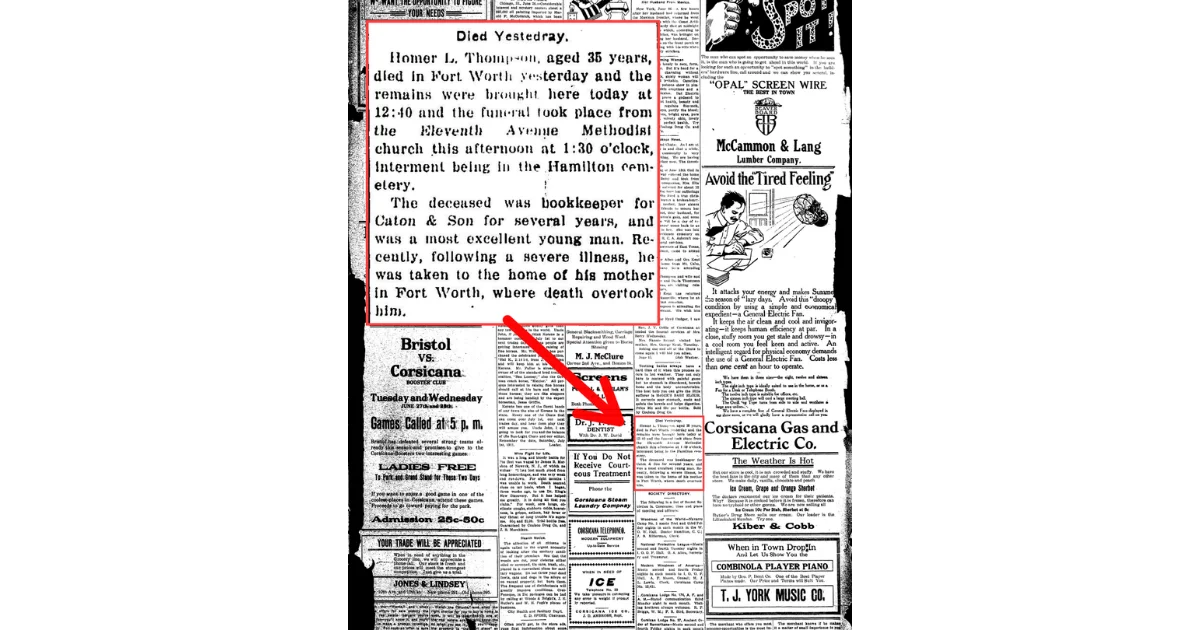
Why You Can’t Find an Obituary (and How to Fix It)
Learn why you can’t find an obituary online and how to fix your search with name variations, locations, funeral notices, and newspaper clues.
An obituary may be hard to find because the newspaper used a different name, headline, location, or notice type than expected. Researchers should search beyond the word “obituary” by trying short death notices, funeral notices, married names, initials, spouse names, cemetery names, churches, nearby towns, and phrases like “died yesterday,” “sudden death,” “wife dies,” or “succumbs to illness.” If search results fail, browse newspaper pages around the death date and use every clue from the first notice, including relatives, addresses, burial places, employers, schools, and former residences, to search again in NewspaperArchive or another historical newspaper archive.
There are few things more frustrating in newspaper research than feeling sure an obituary should exist and still not being able to find it.
You know the person died.
You know the family lived in a place with newspapers.
You type in the name and nothing useful comes up.
It happens all the time.
Usually, the problem is not that there was no obituary. It is that the notice was printed in a way you were not expecting, or it is sitting in a place you did not think to search.
That is what this post is about.
Because when an obituary does not turn up right away, there is usually a reason. And once you understand the reason, you can fix the search.
Quick answer: why can’t you find an obituary?
If you cannot find an obituary, it is often because the notice was printed under a different heading, in a different town, under a married name or relationship name, or as a short death or funeral notice instead of a full obituary. The fix is usually to widen the search by trying different names, different locations, death-related keywords, and nearby newspapers, then browsing the paper around the date if search results still come up empty.
1. You may be searching for an obituary when the paper only printed a short notice
This is probably the biggest issue.
We say “obituary” as a catch-all term, but newspapers did not always give people a long obituary. Sometimes what appeared was only a short death item, a funeral mention, or a brief community notice.
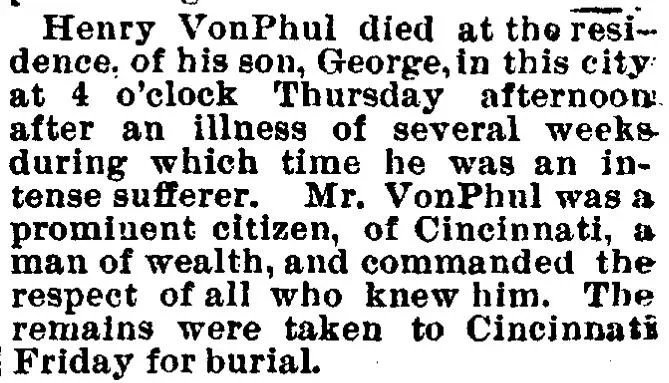
Take this short notice for Henry VonPhul.
It is only a few lines, but it still tells us quite a bit:
He died at the residence of his son, George
He died in “this city”
He had been ill for several weeks
He was a prominent citizen of Cincinnati
The remains were taken to Cincinnati Friday for burial
That is not a long, formal obituary. It is brief.
But it still gives you useful clues.
If you were searching only for a long obituary format, you might overlook something like this. But if what you really want is proof of death, a location, a burial place, and a family connection, this does the job.
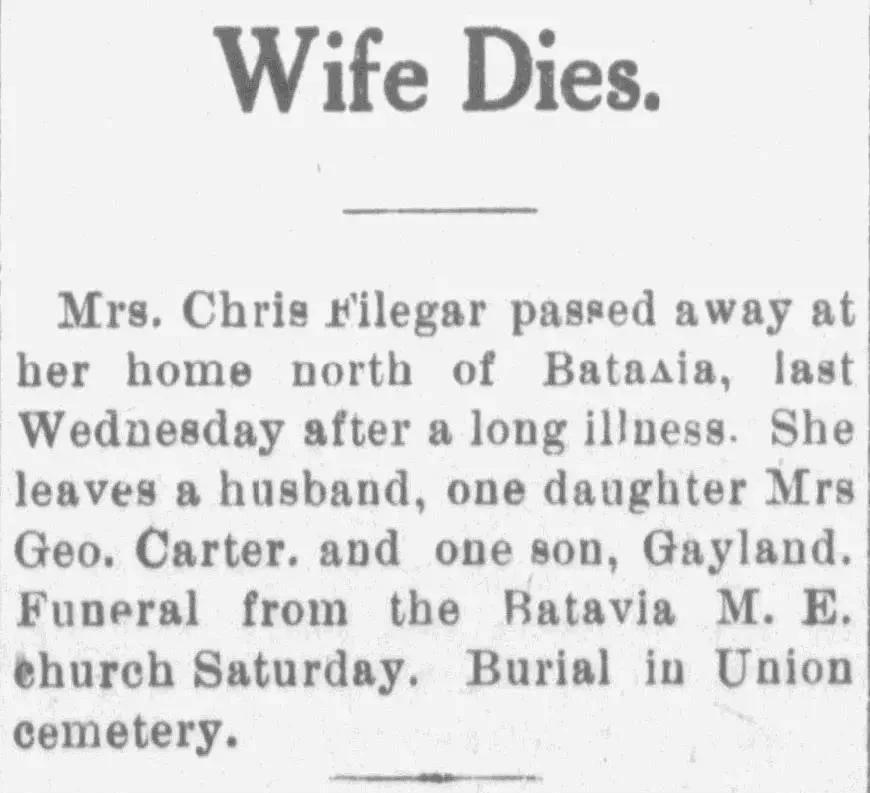
This “Wife Dies” notice for Mrs. Chris Filegar works the same way.
It is short. Very short.
But it still gives you:
Her married identity
A home north of Batavia
A husband
A daughter identified as Mrs. Geo. Carter
A son, Gayland
Funeral place
Burial in Union Cemetery
That is not nothing.
That is enough to keep going.
What to fix: Stop searching only for a full obituary. Search for anything connected to the death.
Try words like:
died
death
funeral
burial
cemetery
passed away
remains
interment
And do not dismiss short notices just because they are short.
2. You may be searching the wrong town
This one gets people all the time.
We tend to search where the person lived.
That makes sense.
But the notice may have been printed where they died, where the funeral happened, where they were buried, where their parents lived, or where they were taken after death.
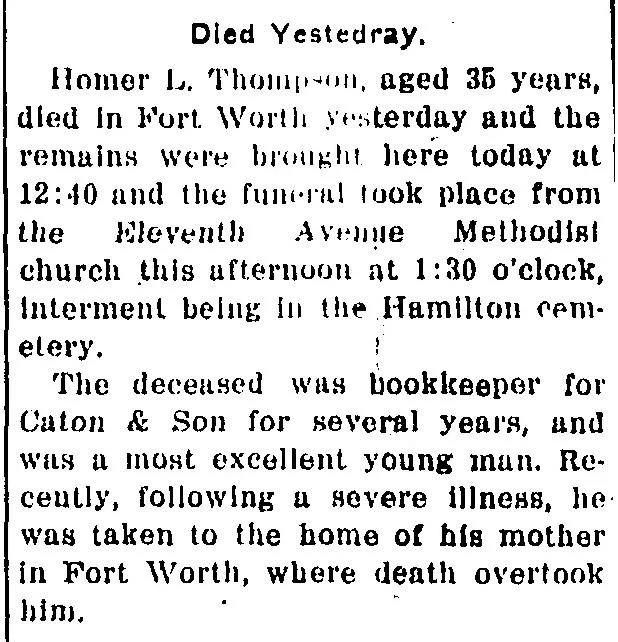
This notice for Homer L. Thompson is a perfect example of why place matters.
It says:
He died in Fort Worth
The remains were brought “here” the next day
The funeral took place from the Eleventh Avenue Methodist Church
Interment was in Hamilton Cemetery
He had been taken to the home of his mother in Fort Worth after a severe illness
That is several places tied to one death event.
If you searched only one location, you could miss it.
Was the notice in the town where he lived?
The town where he died?
The place where the funeral was held?
The place where he worked?
The place where his mother lived?
Any one of those could matter.
The Henry VonPhul notice gives the same problem in a different way.
He died at his son George’s residence “in this city,” but the remains were taken to Cincinnati for burial.
If you searched only Cincinnati, maybe you would find something. Maybe not.
If you searched only the city where he died, same issue.
That is exactly why obituary searching often means following the trail instead of assuming one town will have everything.
What to fix: Search more than one place.
Try:
place of death
place of burial
place of funeral
last residence
former residence
city where close relatives lived
If a notice names a church, cemetery, or funeral home, search those too.
3. You may be searching the wrong version of the name
This is especially common with women, but it happens with men too.
A newspaper may list a person under:
a married name
a husband’s name
initials
a shortened name
a formal name instead of the everyday one
or simply in relation to someone else
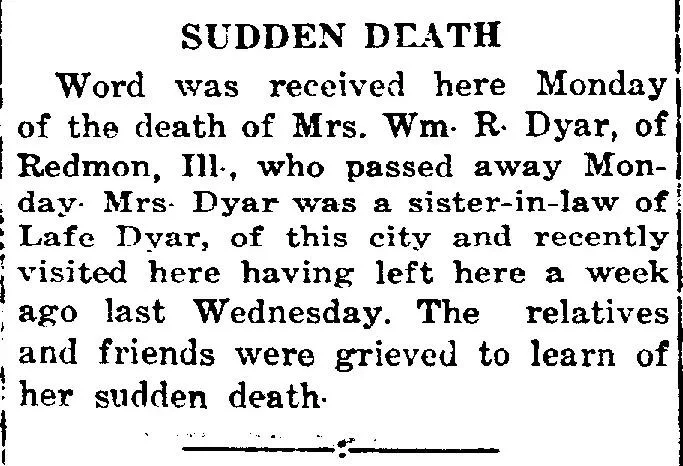
This “Sudden Death” clipping is a good example.
It says word was received of the death of Mrs. Wm. R. Dyar, of Redmon, Illinois. It also tells us she was a sister-in-law of Lafe Dyar of “this city” and had recently visited there.
Now imagine searching only for her personal first name.
You may not even have it.
The paper gives her as Mrs. Wm. R. Dyar.
That kind of naming pattern is one reason people cannot find women in newspaper searches.
The same thing happens in the “Wife Dies” notice.
She is identified as Mrs. Chris Filegar.
Again, if you do not know her own given name, a simple name search may not work.
But the notice gives you other ways in:
Chris Filegar
Mrs. Geo. Carter
Gayland
Batavia
Union Cemetery
Those are clues.
What to fix: Search using more than one version of the name.
Try:
married name
maiden name
husband’s name
Mrs. + husband’s full name
initials + surname
surname + town
surname + relative’s name
Sometimes the person you want is easier to find through a spouse, child, or sibling than through their own name.
4. The notice may be hiding under a different kind of headline
Sometimes the problem is not the content. It is the heading.
If you are searching with the word “obituary,” but the newspaper used a different phrase, you may miss it.
Look at the headlines in these examples:
Died Yesterday.
Sudden Death
Wife Dies.
Succumbs to Illness
None of those say “Obituary.”
And yet all of them contain obituary-style information.
The “Sudden Death” notice is tiny, but it still tells you:
Mrs. Wm. R. Dyar died Monday
she lived in Redmon, Illinois
she was connected to relatives in another city
she had recently visited there
That might not be a rich obituary, but it can still confirm a death and point you toward the right family.
The “Died Yesterday” notice for Homer L. Thompson also works this way. It is not labeled obituary, but it includes death, funeral, burial, occupation, illness, and place details.
That is a strong reminder that newspapers were not always tidy about categories.
What to fix: Search beyond the word obituary.
Try terms like:
died
sudden death
wife dies
died yesterday
passes away
succumbed
succumbs to illness
funeral services
burial
interment
remains
This is especially helpful when the first search turns up nothing useful.
5. You may be overlooking the details that can rescue the search
Sometimes the obituary you want is not the first thing you find. What you find first is a clue-filled article that gives you the next search terms.
That is why I always say to pay attention to everything on the page, not just the main fact that someone died.
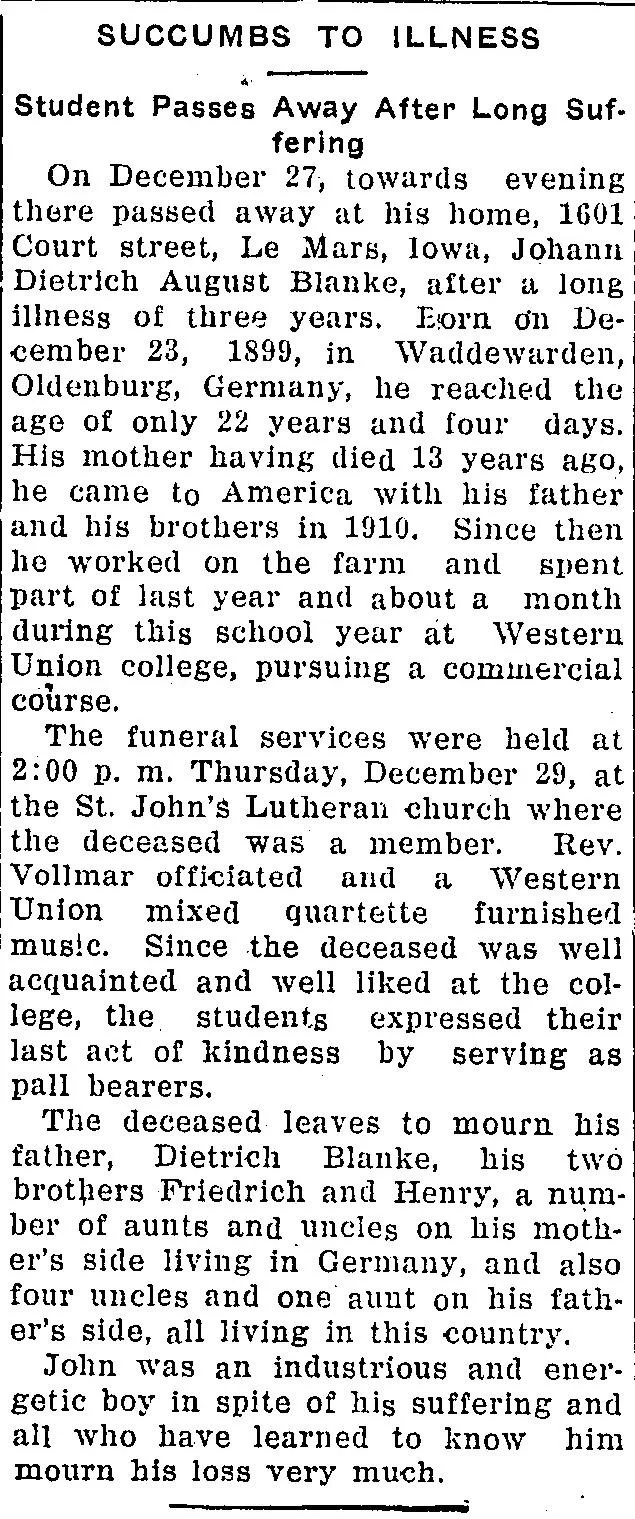
This “Succumbs to Illness” obituary for Johann Dietrich August Bianke is the fullest example in this set, and it shows what a more detailed obituary can do.
This one gives:
full name
death date
home address in Le Mars, Iowa
birthplace in Germany
birth date
immigration timeline
father’s name
brothers’ names
school attended
church membership
funeral time
church name
officiating minister
pallbearers
extended family in Germany and in this country
That is a lot.
But the bigger point is this: every one of those details is also a search term.
If I could not find Johann on the first try, I could come back with:
Bianke + Le Mars
Bianke + St. John’s Lutheran
Bianke + Western Union College
Bianke + Vollmar
Bianke + Court Street
Dietrich Bianke + Germany
That is how an obituary search gets fixed. You find one clue, then search again with better information.
What to fix: Pull out every searchable detail you can.
Look for:
address
employer
school
church
minister
cemetery
funeral home
relatives
town names
birthplace
former residence
Do not read the article once and move on. Mine it for clues.
6. You may be expecting the first search to be the final search
This is a quiet problem, but it matters.
Most obituary searches do not work perfectly on the first try.
The first search is often just what gets you moving.
Maybe it gives you a short death notice.
Maybe it gives you the husband’s name.
Maybe it gives you the place of burial.
Maybe it gives you the city where the person died instead of the town where they lived.
That is not failure.
That is progress.
The problem comes when people stop too early because the first result was not the full obituary they hoped for.
What to fix: Search again after every new clue.
A better obituary search usually looks like this:
Search the name
Find a short or partial notice
Pull out place names, relatives, church, burial, or occupation
Search again using those new details
Browse nearby days if needed
That is often when the better result shows up.
7. If searching is not working, browse the paper
There is a point where typing more terms into the search box is not the answer.
That is when I would browse.
Open the newspaper around the likely date and look at the page itself.
Check nearby days.
Check community columns.
Check headings that mention deaths, funerals, or local news.
Check the page where death notices tend to appear.
This matters because some notices are short, hard to OCR, or buried among unrelated items.
If the article is there but not being picked up well in search, browsing may be the only thing that works.
Common questions when an obituary will not show up
Why can’t I find an obituary if I know the person died?
Because the paper may have printed only a short death notice, funeral item, or community mention instead of a full obituary. It may also be under a different heading, name form, or location than the one you searched first.
What if the person died in one town but was buried in another?
Search both places, plus the place where the funeral took place and the town where close family members lived. Obituary-related notices often appear in more than one location.
Why are women so hard to find in old newspaper obituaries?
Because women were often listed under a husband’s name, like Mrs. Wm. R. Dyar or Mrs. Chris Filegar, instead of by their own given name. Search using the husband’s name, the surname, and known relatives.
What if I only find a short notice?
Keep it. A short notice can still give you relatives, burial place, church, town, employer, or funeral details. Those clues can lead you to a better search.
Should I search for obituary or funeral notice?
Both. And also terms like died, burial, interment, sudden death, succumbs to illness, and wife dies. Newspapers used all kinds of wording.
Final thoughts
If you cannot find an obituary, it usually does not mean you have hit a dead end.
More often, it means the notice is wearing a different name, sitting in a different town, or hiding in a smaller article than the one you hoped to find.
That is why it helps to stop asking only, “Where is the obituary?”
A better question is, “What else might this newspaper have called it?”
If you have an obituary search that came up empty before, try it again in NewspaperArchive with one small change. Use the husband’s name, the burial town, the church, or even the headline wording from similar notices. Sometimes the search that failed the first time only needs a different doorway.
Key takeaways
Not every death was covered with a full obituary.
Short notices can still contain strong family history clues.
Search more than one town, especially when death, funeral, and burial happened in different places.
Search more than one version of the name, especially for women.
Look beyond the word obituary and try death-related headline phrases.
Pull out every clue from the first notice you find and search again.
If search results are weak, browse the paper around the date.