How to Search NewspaperArchive and Find People Faster
Learn how to search NewspaperArchive faster with simple name, location, date, keyword, filter, clipping, and browsing tips for family history research.
To search NewspaperArchive effectively, start with a simple name, location, or date search before adding too many details. Use Advanced Search to separate first name, last name, keywords, location, publication, and date filters. Search by surname and place, try name variations, use Exact Phrase when the wording is likely to appear together, and narrow results with state, city, publication, or date ranges. If search results are too broad, add filters one at a time. If results are too limited, remove details, widen the date range, browse by location or newspaper title, and search again using clues from saved clippings. NewspaperArchive is especially helpful for small-town newspaper research because local papers often mention visits, funerals, clubs, churches, schools, addresses, and other everyday family history details.
Searching NewspaperArchive sounds like it should be simple.
Type in a name.
Add a place.
Maybe add a year.
Hit search.
And sometimes, yes, that works beautifully.
But other times, the first search gives you too much, too little, or results that don’t seem to have anything to do with the person you’re looking for. That does not always mean NewspaperArchive does not have what you need.
Sometimes it just means the search needs to be adjusted.
This guide will walk you through how to search NewspaperArchive in a way that feels manageable, especially if you are new to historical newspapers or have tried before and felt stuck.
Quick answer: how do you search NewspaperArchive?
To search NewspaperArchive, start with a simple search using a name, place, or date. If the results are too broad, narrow by state, city, publication, or date range. If the results are too limited, remove details and search again with fewer words. You can also use Advanced Search to separate first and last names, add keywords, search exact phrases, and filter by location or date. The best searches usually start broad, then narrow one clue at a time.
Start with a simple NewspaperArchive search
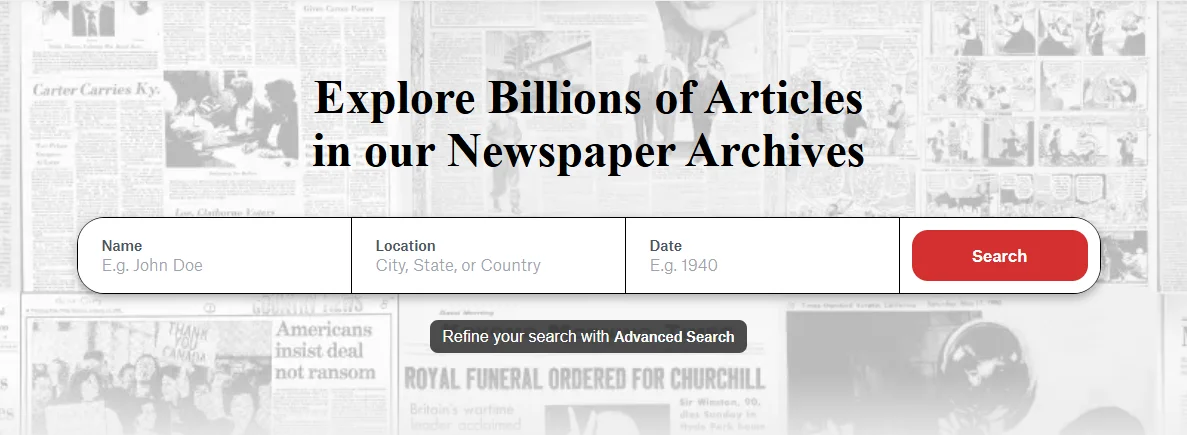
The main NewspaperArchive search box gives you three basic fields:
Name
Location
Date
That is usually enough to begin.
You do not have to fill in every field. In fact, you probably should not fill in every field at first unless you are very sure of the details.
A good beginner search might be:
Name: Siebert
Location: Osgood, Indiana
Date: blank or a broad year
Or:
Name: Haunert
Location: Indiana
Date: blank
Or:
Name: VonPhul
Location: Cincinnati
Date: blank
The goal of the first search is not always to find the perfect article immediately. The goal is to see what NewspaperArchive has and what kinds of results appear.
Do not start too specific
This is one of the easiest mistakes to make.
A beginner might search something like:
John William Siebert obituary Osgood Indiana June 1917
That feels logical. You are giving the search engine everything you know.
But with old newspapers, too many details can work against you. The article may not include the middle name. It may not use the word obituary. The date may be off by a few days. The OCR may not read one of the words correctly.
So instead of starting with everything, start with less.
Try:
Siebert Osgood
Siebert Indiana
Siebert 1917
Siebert funeral
Siebert marriage
Siebert Batesville
Then narrow from there.
If you’ve searched NewspaperArchive before and felt like nothing useful came up, try the same name again with fewer details. Start with the surname and location, then add one clue at a time.
Use Advanced Search when you need more control
Once a basic search gives you too many results, Advanced Search can help you organize your search.
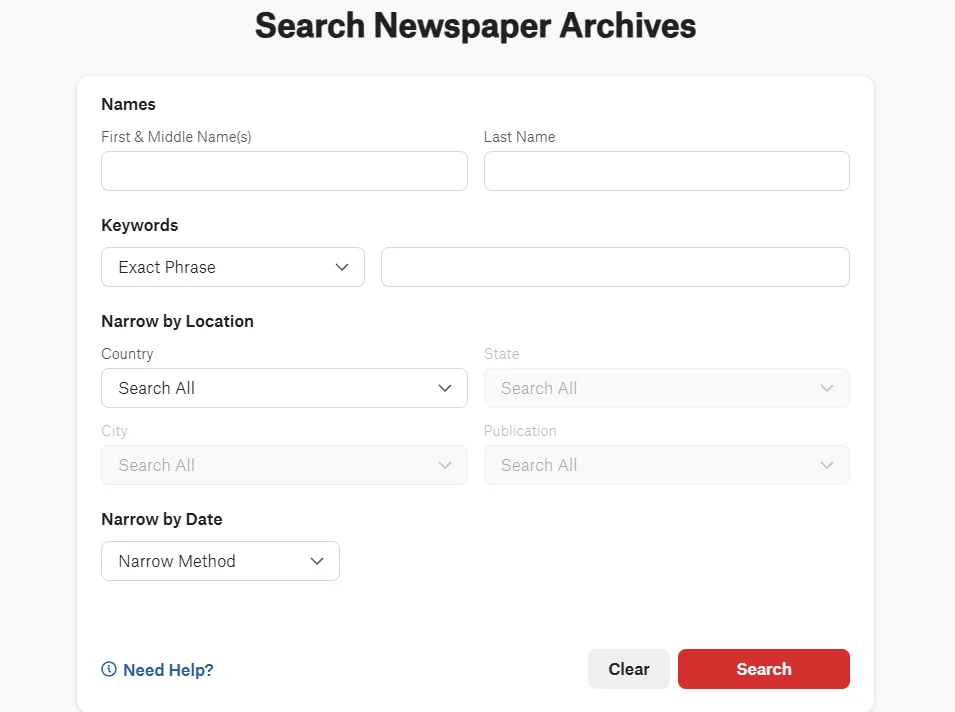
The Advanced Search page lets you separate:
First and middle name
Last name
Keywords
Location
Publication
Date
This is useful because you can test one part of the search at a time.
For example, instead of putting everything in one search box, you can add:
First name: Florence
Last name: Siebert
Location: Indiana
Keyword: marriage
Or:
Last name: Haunert
Location: Ohio
Keyword: funeral
This makes it easier to see which detail is helping and which one might be getting in the way.
When to use Exact Phrase
Exact Phrase can be helpful when you know the words are likely to appear together.
For example, you might use Exact Phrase for:
a full name
a business name
a church name
a school name
a phrase from an article
a unique family surname
This can be especially helpful with uncommon names or specific places.
But I would not start every search with Exact Phrase.
If the newspaper printed the name slightly differently, or the OCR misread one letter, an exact phrase search may miss the article. Use it when you have a strong reason to believe the wording is right.
A good approach is:
Start broad.
Look at the results.
Use Exact Phrase when you want to test a specific name or wording.
For example, if you see results for Florence Siebert of Batesville, then an Exact Phrase search for that wording may help you find similar mentions.
Search by name, place, and keyword
There are three basic ways to search NewspaperArchive:
By name
By place
By keyword
Most people start with a name, and that makes sense. But names are not the only way to find people in newspapers.
Search by name
Try:
full name
last name only
initials
maiden name
married name
nickname
common misspellings
For a name like Siebert, you might also watch for spelling variations or OCR issues. For a name like Hamilton, which is more common, you will probably need location or date filters sooner.
Search by place
Places matter because newspapers were local.
Try searching:
town
county
state
nearby town
cemetery location
church location
place where relatives lived
A person might appear in a newspaper because they visited, married, died, moved, attended a funeral, joined a club, or had family nearby.
Search by keyword
Keywords help when the name alone is not enough.
Try words like:
obituary
funeral
marriage
birth
school
church
cemetery
military
accident
reunion
estate
probate
lodge
club
If you are searching for family history, keywords can turn a name search into a story search.
Read the search results before you change the search
This is a small thing, but it matters.
When results appear, do not immediately decide whether the search worked or failed. Read the snippets first.
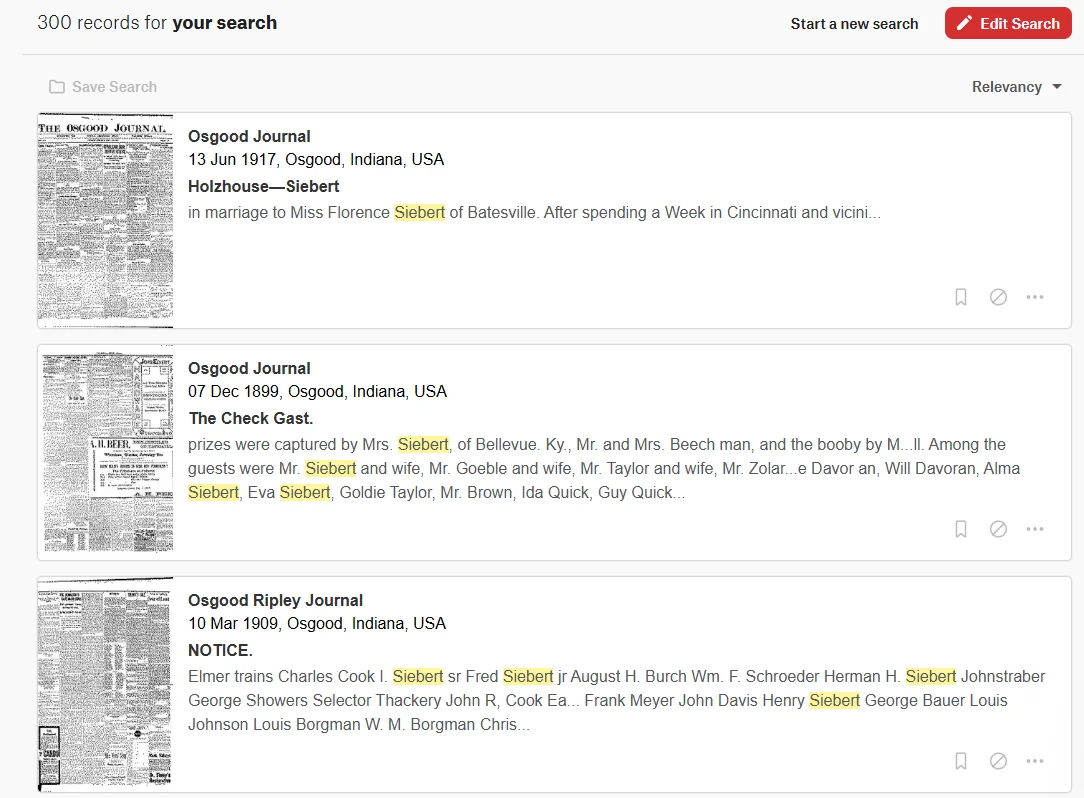
In the Siebert example, the search results show different kinds of mentions:
A marriage mention
A social or community item
A notice with several names
Newspaper titles from Osgood, Indiana
That tells you something.
Even if the first result is not the exact article you wanted, the results may give you:
another name to search
a nearby town
a newspaper title
a year range
a spelling variation
a clue about the family’s social circle
Search results are not just answers. They are clues.
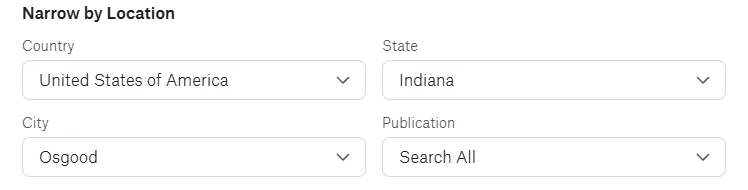
Narrow by location when the name is too common
If you are searching an unusual name, you may not need many filters.
But if you are searching a common surname like Hamilton, Smith, Johnson, Miller, Brown, or Davis, location filters become very helpful.
NewspaperArchive lets you narrow by:
Country
State
City
Publication
That can make a huge difference.
For example, searching Hamilton by itself could bring up far too many results. But searching Hamilton in a specific city or state gives you a more useful group to work through.
You can also browse by location when you are not sure which newspaper to search. This is helpful when you know where the person lived, but you do not know the exact newspaper title.
Use date filters, but do not make them too tight
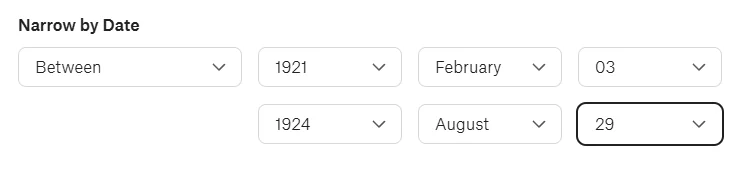
Date filters are useful, but they can also cause trouble if you make them too narrow.
If you know someone died on February 3, 1921, you might be tempted to search only that day.
I would not do that first.
Newspaper mentions often appeared days or weeks later. Weddings, anniversaries, probate notices, funeral notices, visits, and social items may appear long after the event.
Instead of searching one exact date, try a range.
For example:
the whole year
a few months around the event
several weeks after a death
the year before and after a move
the month of a wedding or anniversary
If the results are too large, then tighten the date.
Use small-town newspapers to your advantage
This is one of the best reasons to search NewspaperArchive for family history.
Small-town newspapers often printed the kinds of details that larger newspapers ignored.
You may find:
who visited whom
who attended a funeral
who came home from college
who hosted relatives
who was sick
who moved away
who returned to town
who joined a church, lodge, club, or society
who appeared in school, sports, or social news
These small mentions can be just as useful as formal records.
They can also help you separate people with the same name. If you are trying to figure out which John Hamilton is yours, a small-town article mentioning a spouse, child, church, or neighborhood might be the clue that sorts it out.
NewspaperArchive is especially useful here because its collection includes many local and regional newspapers, including small-town titles that can be easy to overlook.
Try name variations before you give up
Names are messy in old newspapers.
That is not your fault. It is just part of the work.
Try:
Haunert
Hawnert
Hounert
Siebert
Seibert
Sibert
VonPhul
Von Phul
Vonphul
Hamilton with initials
Mrs. + husband’s name
You may also need to search:
first initial + last name
middle initial + last name
maiden name
married name
nickname
abbreviated first name
And for women, try the husband’s name too.
A woman might appear as:
Mrs. Charles Siebert
Mrs. C. Siebert
Mrs. Siebert
Florence Siebert
Florence Holzhauer Siebert
One version may work when another does not.
Search for more than the person’s name
If the name search is not working, search around the person.
Try:
spouse
child
sibling
parent
neighbor
employer
church
cemetery
school
club
military unit
street address
This is especially helpful when you are searching for someone who does not appear often in newspapers.
A person might not have a long article about them, but they might appear in an article about their spouse, child, church, or community group.
For example, if you cannot find a Haunert obituary, try searching a spouse’s name, the cemetery, or the church. If you cannot find Siebert directly, try a nearby relative or town.
Sometimes the best result is one step sideways.
Browse when search results are not enough
Search is powerful, but it is not perfect.
Old newspaper text can be hard to read. OCR can misread names. Articles may be small, faded, crooked, or split across columns. A name may appear in a place the search does not handle well.
When that happens, browsing can help.
Browse by:
location
newspaper title
date
page
This works especially well when you know the event date or the likely newspaper.
For example, if you know someone died in Osgood in June 1921, you might browse the Osgood paper around that week and look page by page for deaths, funerals, local news, or church notices.
Browsing takes longer, but it often catches what search misses.
Save, clip, and share what you find
When you find something useful, save it right away.
Do not trust yourself to remember where it was.
I say this with love because I have absolutely thought, “I’ll remember this,” and then immediately did not.
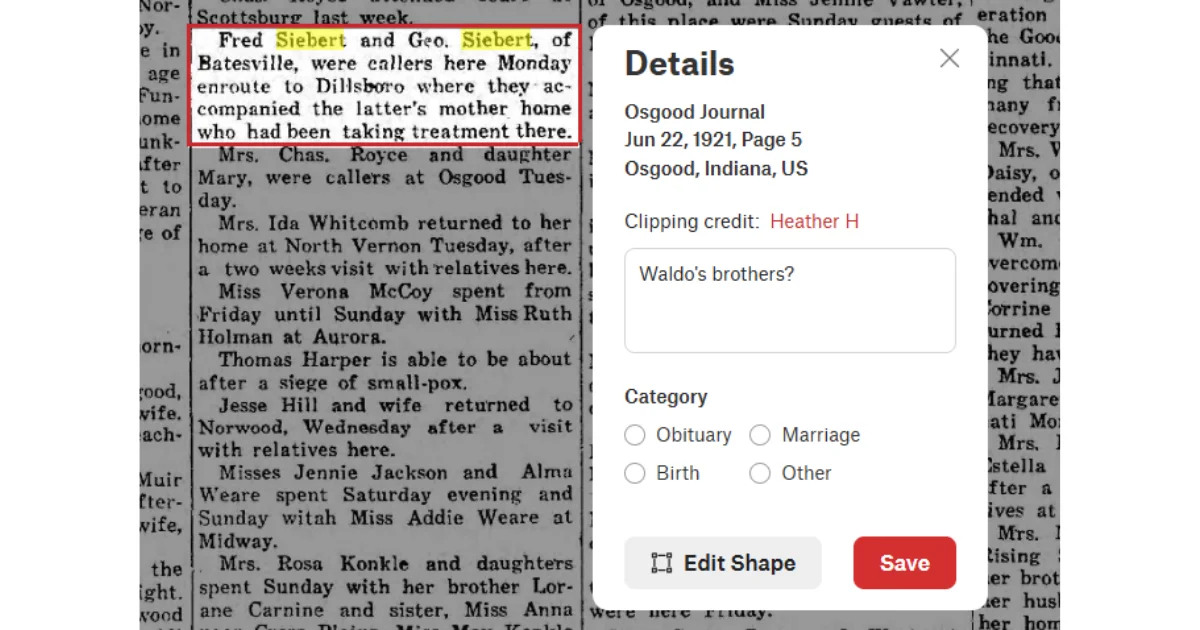
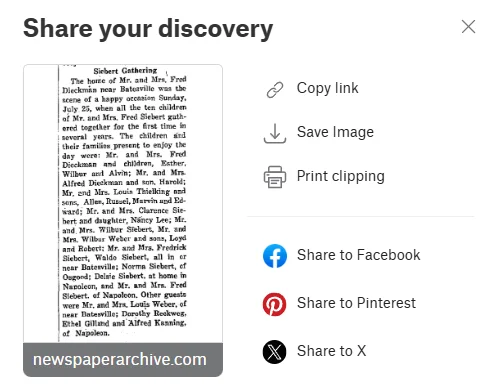
With NewspaperArchive, you can save or clip a discovery so you can come back to it later. You can also copy a link, save an image, print a clipping, or share it.
When you save a clipping, also record:
newspaper title
location
date
page number
name searched
search terms that worked
why the clipping matters
That last part is important.
A clipping may make sense to you today, but three months from now you may not remember why you saved it.
Search again with what you found
This is where a lot of people stop too soon.
One newspaper article should lead to another search.
If you find a clipping that names:
a spouse
a cemetery
a church
a street address
a school
an employer
a married daughter
a nearby town
a funeral home
Use that clue.
Search again.
For example, if a Siebert clipping mentions Batesville, try Siebert + Batesville. If it mentions Florence Siebert, search Florence. If it names a church, search the church name with the surname.
The first article is often not the finish line. It is the next set of search terms.
A simple NewspaperArchive search plan
If you want a simple process, use this:
Start with the surname and location.
Look at the first page of results.
Notice newspaper titles, towns, names, and dates.
Add one filter, such as state or city.
Try a date range, not just one day.
Search name variations.
Search relatives and keywords.
Browse the likely newspaper if search does not work.
Save useful clippings.
Search again with the new clues.
That is much more useful than running the same full-name search over and over.
FAQs About Searching NewspaperArchive
What is the best way to start a NewspaperArchive search?
Start simple. Use a surname and location first, then add a date, keyword, or first name if you need to narrow the results. A broad search helps you see what is available before you filter too much.
Should I search a full name or just a last name?
Try both. A full name can work well for unusual names, but a last name plus location can catch articles where the first name is abbreviated, misspelled, missing, or listed under initials.
Why am I getting too many results?
Your search may be too broad, especially if the surname is common. Add a state, city, publication, date range, or keyword to narrow the results.
Why am I getting no results?
Your search may be too specific. Remove some details and try again. Search fewer words, use a wider date range, try name variations, or search a relative instead.
Can I search NewspaperArchive by location?
Yes. You can search and narrow by location, including country, state, and city. You can also use location browsing when you know where the person lived but are not sure which newspaper title to search.
When should I use Exact Phrase?
Use Exact Phrase when you know the wording is likely to appear together, such as a full name, business name, church name, or unique phrase. If it does not work, go back to a broader search.
What should I do after I find one useful clipping?
Save it, record the newspaper title and date, then pull new search terms from it. Names, churches, cemeteries, addresses, occupations, and nearby towns can all lead to the next discovery.
Final thoughts
NewspaperArchive searching gets easier once you stop expecting one perfect search to do all the work.
Start broad.
Read the results.
Use filters carefully.
Try different versions of the name.
Save what you find.
Then search again with better clues.
If you have searched NewspaperArchive before and felt like nothing useful came up, try one of those searches again. Use fewer words, a wider date range, a nearby town, or a different spelling.
Sometimes the record was not missing.
The search just needed a different angle.
Key takeaways
Start with a simple search before adding too many details.
Use name, location, date, and keyword searches in different combinations.
Advanced Search helps you separate names, keywords, locations, and dates.
Exact Phrase can help when you know specific wording, but it should not be your only search.
Location filters are useful for common surnames.
Date filters work best when you start with a range.
Small-town newspapers can reveal everyday family history details.
Try initials, married names, maiden names, and spelling variations.
Browse by location, title, or date when search does not work.
Save useful clippings and use them to guide your next search.