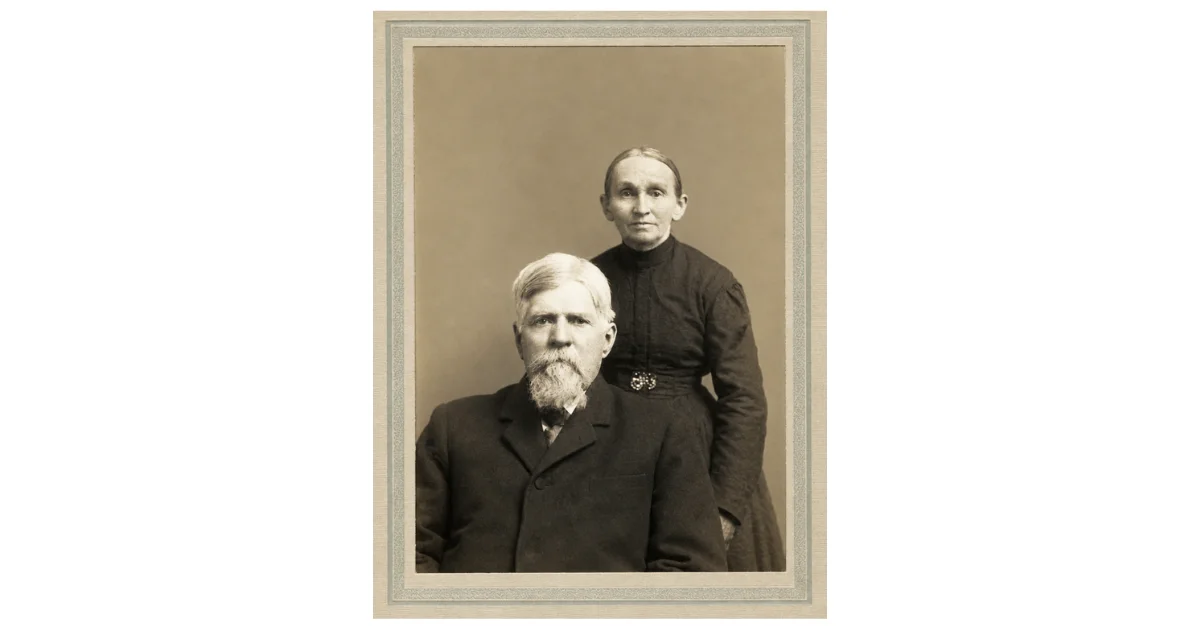
How to Turn One Newspaper Article Into a Family Tree Research Plan
Learn how to turn one newspaper article into a family tree research plan using names, dates, places, relatives, occupations, and follow-up clues.
A single newspaper article can become a family tree research plan when it is treated as a source of names, dates, places, relationships, occupations, schools, military service, guests, and follow-up clues. Anniversary articles, obituaries, wedding announcements, family reunion notices, probate notices, and legal notices are especially useful because they often name multiple relatives and locations. In the example of Dr. L. W. D. Jerman and Sarah Lucia Lee Jerman’s golden wedding anniversary article, the clipping provides the couple’s names, marriage date, birth details, children, married daughters, residences, occupation, Civil War service, and guest list. Researchers can use these details to create searches in NewspaperArchive and then verify findings with census, marriage, military, cemetery, probate, and other records.
Some newspaper articles feel like a gift.
Not because they answer everything. They rarely do.
But because they give you enough names, dates, places, and questions to keep going.
That is exactly what I see in this golden wedding anniversary article for Dr. L. W. D. Jerman and Sarah Lucie Lee Jerman, published in the Greensburg News on March 14, 1913. At first, it looks like a sweet anniversary story. And it is.
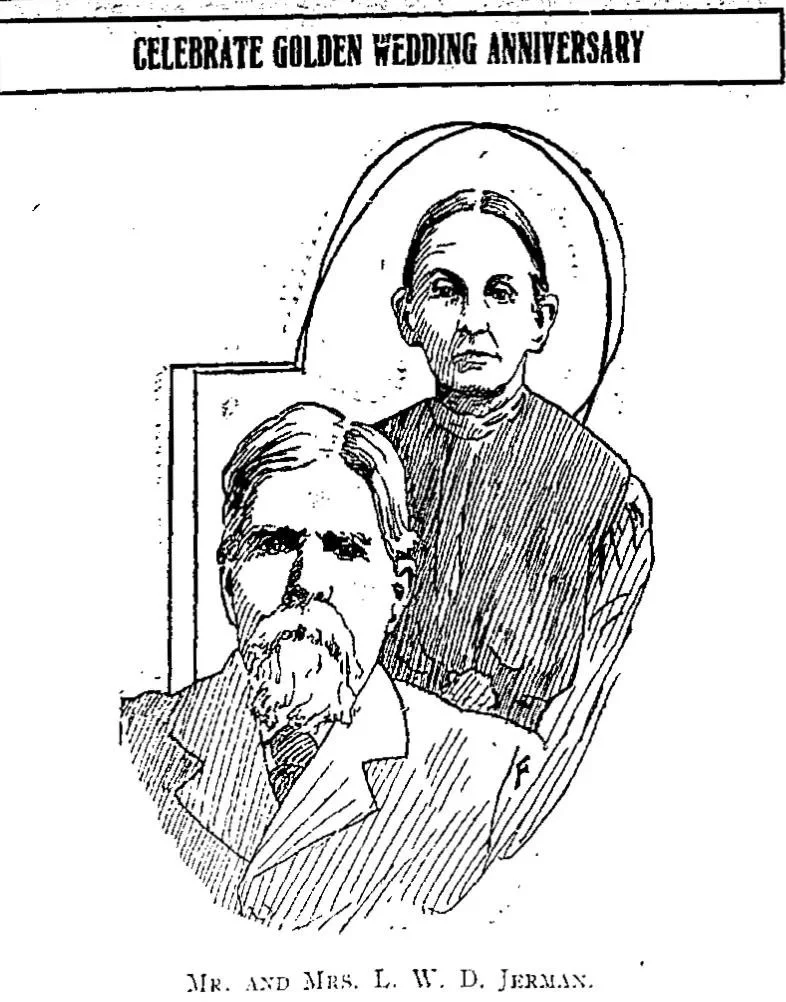
But for family history research, it is also something more useful.
It is a research plan waiting to be pulled apart.
Quick answer: how can one newspaper article become a family tree research plan?
One newspaper article can become a family tree research plan when you pull out every name, date, place, relationship, occupation, school, church, military clue, and guest listed in the article. Instead of treating the clipping as a finished answer, use it as a guide for the next searches in newspapers, census records, vital records, military records, cemetery records, and local histories.
If you have a newspaper article saved in NewspaperArchive that names more than one person, try opening it again with this question in mind: What could this clipping help me search next? Even one anniversary article, obituary, or reunion notice can give you a whole list of names and places to follow.
Start with the article type
This article is not an obituary. It is not a marriage announcement. It is not a legal notice.
It is a golden wedding anniversary article, and that matters.

Anniversary articles are wonderful for family history because they often look backward and outward at the same time. They may tell you:
when a couple married
where they lived
where they came from
who their children were
where their children lived
who attended the celebration
what the couple was known for
what jobs, churches, military service, or community roles shaped their lives
That is exactly what happens here.
The article celebrates fifty years of marriage for Dr. and Mrs. Jerman, but it also gives us a structure for researching their family.
A golden wedding anniversary article can give more than a celebration date. It may include a couple’s names, image, marriage story, children, relatives, and community connections.
Step 1: Identify the central couple
Before doing anything else, start with the people at the center of the article.
Here, the central couple is:
Dr. L. W. D. Jerman
Mrs. Sarah Lucie Lee Jerman
The article says Mrs. Jerman’s maiden name was Miss Sarah Lucie Lee, which immediately gives us a second surname to search.
That is important.
A married woman may appear in records under several names:
Sarah Jerman
Sarah Lucie Jerman
Sarah Lucie Lee
Miss Sarah Lucie Lee
Mrs. L. W. D. Jerman
If I were building a research plan from this article, I would not search only one version. I would search every version.
That is one of the first lessons this kind of clipping teaches.
Step 2: Pull out the timeline
Once I know the couple, I look for dates.
This article gives several:
Dr. Jerman was born October 8, 1837
Mrs. Jerman was born July 3, 1845
They married March 13, 1863
They lived in Ballstown, Ripley County, for seven years after marriage
They moved to Newpoint in 1887
The article was published in 1913, at the time of their golden wedding anniversary
That is the beginning of a timeline.
And once you have a timeline, you can start matching the newspaper story to other records.
I would check:
1850 census for both families as children
1860 census before marriage
marriage record around March 13, 1863
1870 census in or near Ballstown, Ripley County
1880 census before the move to Newpoint
1900 and 1910 census in Newpoint
later obituaries for each spouse
The newspaper article gives the outline. The records can help confirm it.
Step 3: Mark every place
Places are not background details. They are search terms.
This article points to several places connected to the Jerman family:
Newpoint
Ballstown, Ripley County
Maryland
Massachusetts
Ohio Medical College
Indiana
Indianapolis
Joliettsville
Topeka, Kansas
Osgood
Washington, Iowa
Parrall, Missouri
Ripley County
That is a lot of geography.
Some places are tied to the couple. Some are tied to their parents. Some are tied to children or guests. But all of them matter.
If I were working this family, I would create a simple location list:
Place | Why it matters |
|---|---|
Newpoint | Home of Dr. and Mrs. Jerman in 1913 |
Ballstown, Ripley County | Where they lived for seven years after marriage |
Ohio Medical College | Dr. Jerman’s medical education |
Topeka, Kansas | Residence of Edward C. Jerman |
Indianapolis | Residence of Mrs. Stella Kuert |
Joliettsville | Residence of Mrs. Myrtle Rainey |
Osgood | Residence of Mrs. E. R. Round and Miss Charlotte Round |
That gives me a better search plan than just typing “Jerman” and hoping for the best.
Step 4: Build the first family group
Now I start turning the article into a family group.
The article names four children:
Mrs. Stella Kuert, of Indianapolis
Mrs. Myrtle Rainey, of Joliettsville
Edward C. Jerman, of Topeka, Kansas
Elmer Jerman, superintendent of the public schools of Newpoint
That is extremely useful.
It gives us:
two married daughters
two sons
locations for at least three children
an occupation for Elmer
a likely education/career trail for Elmer
married surnames: Kuert and Rainey
This is where I would slow down and make a mini chart.
Dr. L. W. D. Jerman + Sarah Lucie Lee Jerman
Children named in article:
Stella Jerman, married name Kuert, living in Indianapolis
Myrtle Jerman, married name Rainey, living in Joliettsville
Edward C. Jerman, living in Topeka, Kansas
Elmer Jerman, superintendent of public schools in Newpoint
That is not a complete tree, but it is enough to start building.
Step 5: Follow the married daughters
Married daughters are one of the easiest places to lose a family line.
This article gives us two very helpful clues:
Stella Jerman became Mrs. Stella Kuert
Myrtle Jerman became Mrs. Myrtle Rainey
Now I have new surnames to follow.
For Stella, I would search:
Stella Jerman
Stella Kuert
Mrs. John Kuert, if John is her husband from the guest list
Kuert + Indianapolis
Kuert + Jerman
Stella Kuert + Newport
For Myrtle, I would search:
Myrtle Jerman
Myrtle Rainey
Mrs. E. A. Rainey, if connected through the guest list
Rainey + Joliettsville
Rainey + Jerman
Myrtle Rainey + Newpoint
This is why anniversary articles are so valuable. They often give you married names that help carry the daughters forward.
Without that, they can seem to disappear.
Step 6: Look for occupations and public roles
The article identifies Dr. Jerman as a physician and says he graduated from Ohio Medical College.
It also says he served in the Thirteenth Indiana Regiment during the Civil War.
Those are not just biographical details. They are research paths.
For Dr. Jerman, I would search:
L. W. D. Jerman + physician
Dr. Jerman + Newpoint
Jerman + Ohio Medical College
Jerman + Thirteenth Indiana Regiment
L. W. D. Jerman + Civil War
Jerman + pension
Jerman + medical
For Elmer Jerman, I would search:
Elmer Jerman + superintendent
Elmer Jerman + public schools
Elmer Jerman + Newpoint
Prof. Elmer Jerman
Elmer Jerman + children
Occupations can help separate people with similar names. They also add context, which is what makes family history feel like more than a chart.
Step 7: Do not skip the guests
This is where a lot of people move too fast.
Guest lists can look like filler.
They are not.

In this article, the guests include people such as:
Mrs. Amanda Been, sister of Dr. Jerman
Miss Grace, daughter of Mrs. Amanda Been
O. O. Herndon
D. L. Osborn
E. L. Wilson and grandson Theodore
G. S. Fricker
O. E. Haislup and son George
John Kuert
E. R. Round
Charlotte Round
E. A. Rainey
Elizabeth Kuert
Albert Tower
Ella Thomson
Prof. Elmer Jerman and children
James Rounds, an uncle of Ripley County
That is a cluster research list.
Some may be relatives. Some may be in-laws. Some may be friends or neighbors. Some may connect to the Jerman or Lee side. The article even identifies Mrs. Amanda Been as Dr. Jerman’s sister and mentions James Rounds as an uncle.
Those relationships matter.
I would not add every guest to a family tree without proof, but I would absolutely use the list to guide searches.
Guest lists can act like a cluster research list, naming siblings, in-laws, married daughters, grandchildren, neighbors, and extended relatives.
Step 8: Separate facts from clues
This part matters.
Newspapers are wonderful, but they are not perfect.
I would divide the article into two groups: what it states clearly and what needs follow-up.
Details the article states clearly
The couple celebrated their golden wedding anniversary
Dr. Jerman was born October 8, 1837
Mrs. Jerman was born July 3, 1845
Mrs. Jerman’s maiden name was Sarah Lucie Lee
They married March 13, 1863
They had four named children
Dr. Jerman was a physician
Dr. Jerman served in the Thirteenth Indiana Regiment
Elmer Jerman was superintendent of Newpoint public schools
Details I would verify before treating as final
exact birthplaces
parents’ migration stories
military service details
children’s full names and spouses
whether every guest is related
spelling of names in the guest list
the identity of “Miss Grace”
the relationship of the Round/Rounds family
the exact location of Ballstown and Newpoint in other records
This is not doubting the article. It is using it responsibly.
A newspaper article gives you a path. Verification keeps you on it.
Step 9: Turn each clue into a search
Here is where the article becomes a plan.
Instead of saving the clipping and moving on, I would make a list of searches.
Search the couple
L. W. D. Jerman
Dr. Jerman
Sarah Lucie Lee
Sarah Jerman
Mrs. L. W. D. Jerman
Jerman + golden wedding
Search the children
Stella Jerman
Stella Kuert
Myrtle Jerman
Myrtle Rainey
Edward C. Jerman
Elmer Jerman
Prof. Elmer Jerman
Search places
Jerman + Newpoint
Jerman + Ballstown
Jerman + Ripley County
Jerman + Topeka
Jerman + Indianapolis
Jerman + Joliettsville
Search roles and records
Jerman + Ohio Medical College
Jerman + physician
Jerman + Thirteenth Indiana Regiment
Jerman + Civil War
Jerman + pension
Elmer Jerman + superintendent
Search relatives and guests
Amanda Been + Jerman
John Kuert + Stella
E. A. Rainey + Myrtle
James Rounds + Jerman
E. R. Round + Osgood
Charlotte Round + Osgood
This is what I mean by turning one article into a research plan.
The article tells you what to search next.
Step 10: Decide what records to check next
A good research plan does not stop with more newspaper searches.
From this article, I would also look for:
marriage record for Dr. and Mrs. Jerman
census records from 1850 through 1910
Civil War service record or pension file
medical college references
cemetery records
obituaries for Dr. Jerman and Sarah
obituaries for the children
marriage records for Stella Kuert and Myrtle Rainey
city directories
school records or education notices for Elmer
county histories
probate records
Each record can confirm or correct what the newspaper says.
That is how the tree becomes stronger.
Step 11: Watch for story details
This article is not only a list of facts.
It also gives us story.
It describes Dr. Jerman as a country doctor who traveled poor roads before modern transportation. It describes Mrs. Jerman as a pioneer mother and helpmate. It places their marriage during the Civil War era and connects their lives to service, medicine, family, and community.
Those details may not all fit into a family tree field.
But they belong in the family story.
I would save lines like:
he practiced medicine across a large territory
she stood beside him through hardships
their children and relatives gathered for the celebration
their home became the site of a golden wedding gathering
This is the kind of information that turns genealogy into something people actually want to read.
How to try this with your own newspaper article
You can do this with any rich newspaper clipping.
It might be:
an anniversary article
an obituary
a wedding announcement
a family reunion article
a probate notice
a legal notice
a local profile
When you find one, ask:
Who is the main person or couple?
What names are listed?
What relationships are stated?
What dates are given?
What places appear?
What occupations, schools, churches, or military clues are included?
Which names need to be verified?
What records should I check next?
What newspaper searches can I run from these clues?
What story details should I save?
If you have an article like this in NewspaperArchive, do not just clip it and move on. Pull out every clue. Make a search list. Then follow the names one at a time.
FAQs About Turning Newspaper Articles Into Family Tree Research Plans
What kind of newspaper article works best for this?
Anniversary articles, obituaries, wedding announcements, family reunion articles, probate notices, and legal notices work especially well because they often name relatives, places, dates, and relationships.
Can I add names from a newspaper article directly to my family tree?
You can use them as clues, but it is best to verify important relationships with other records when possible. Newspapers can contain errors, and guest lists may include friends, neighbors, or in-laws rather than direct relatives.
Why are anniversary articles useful for genealogy?
Anniversary articles often summarize a couple’s marriage, children, residences, occupations, migration, and extended family. They can connect multiple generations in one article.
What should I do first after finding a rich newspaper article?
Pull out every name, date, place, and relationship. Then separate what the article clearly states from what still needs to be verified.
How can NewspaperArchive help with the next search?
NewspaperArchive lets you search names, locations, dates, and keywords, which makes it useful for following clues from one article into other notices, obituaries, wedding announcements, legal notices, and local columns.
Final thoughts
This Jerman anniversary article is not just a sweet story about a couple married for fifty years.
It is a research plan.
It gives names.
It gives dates.
It gives places.
It gives married daughters.
It gives occupations.
It gives military service.
It gives relatives and guests.
It gives enough questions to keep going.
That is what makes newspaper articles so useful for family history.
They rarely give you everything.
But the right one gives you somewhere to go next.
Key takeaways
A single newspaper article can become a family tree research plan.
Anniversary articles are especially useful because they often name couples, children, relatives, occupations, and locations.
Pull out every name, not just the main person.
Follow married daughters through their married surnames.
Treat guest lists as cluster research clues.
Use places, schools, occupations, military service, and organizations as search terms.
Separate facts from clues that need verification.
Use NewspaperArchive to search each clue one at a time.
Choose one newspaper clipping you already have, or search NewspaperArchive for an anniversary article, obituary, wedding notice, or family reunion connected to your ancestor. Then pull out every name, place, date, and relationship. You may be surprised how quickly one article turns into a plan for your next search.