How to Find an Old Obituary Online Even When Google Comes Up Empty
Find old obituaries online with smarter newspaper search tips, name variations, date ranges, local columns, and newspaper archive search ideas.
Old obituaries can be difficult to find online because names were often printed differently, pages may not be clearly indexed, and death notices may appear inside local columns instead of formal obituary sections. To find an old obituary, search beyond the full name by trying last name plus location, spouse names, “Mrs.” plus a husband’s name, cemetery or church names, and terms like “died,” “funeral,” “burial,” and “in memoriam.” If search results fail, browse the newspaper around the death date and check nearby days or weeks, especially in small-town newspapers.
I wish I could tell you there’s a reliable way to find every obituary.
There isn’t.
Sometimes you type in a name and it’s right there. Other times, nothing. And it’s not always because the obituary doesn’t exist. It’s usually because you’re searching the way we’ve all been trained to search, and newspapers just don’t work like that.
That’s the part that takes a minute to adjust to.
Start with what you have, even if it’s not much
Before I search anything, I usually stop and write down what I think I know.
Not what I’m sure of. Just what I’ve got.
A name.
A place.
Maybe a rough year.
Sometimes a spouse’s name if I’m lucky.
That’s it.
Because half the time, the thing that actually helps find the obituary isn’t the name I started with. It’s something connected to it.
You might have:
A full name
A nickname
A married name
A maiden name
A spouse’s name
A parent’s name
A town or county
A rough death year
A cemetery name
A church name
Write it all down. Even the details that feel small.
Those small details are often what give you another way in.
Google isn’t the problem, but it’s not the solution either
Most people start with Google. I do too sometimes.
But if an obituary isn’t cleanly indexed or easy to read, Google can skip right over it. Especially with older newspapers.
So you end up thinking it’s not there.
Meanwhile, it may be sitting in a newspaper archive, just not showing up the way you expect.
This is where I’d start instead: go straight to a newspaper archive and search there. You’re working with the actual newspaper pages, not just a filtered version of them.
If the name isn’t working, stop forcing it
This is usually where things shift.
You try the full name. Nothing.
You try it again. Still nothing.
You add “obituary.” Still nothing.
At some point, I stop using the full name altogether.
Instead of searching:
Harry Hamilton obituary
I might try:
Hamilton + town
Hamilton + county
Hamilton + year
Hamilton + wife’s name
Hamilton + cemetery
Hamilton + church
Hamilton + “died”
Hamilton + “funeral”
And if I’m looking for a woman, I almost always try her husband’s name too.
Older newspapers often listed married women as:
Mrs. John Smith
Mrs. J. Smith
Mrs. John A. Smith
Mrs. Smith
Widow of John Smith
That can feel frustrating now, but it was very common. If you’re only searching her given name, you may miss the notice completely.
Newspapers weren’t written for search engines. They were written for people who already knew the community.
So names don’t always look the way we think they should.
If you want to test this with one of your own people, try a NewspaperArchive search and start with the simplest version first: last name, place, and nothing else.
You might be looking right past it
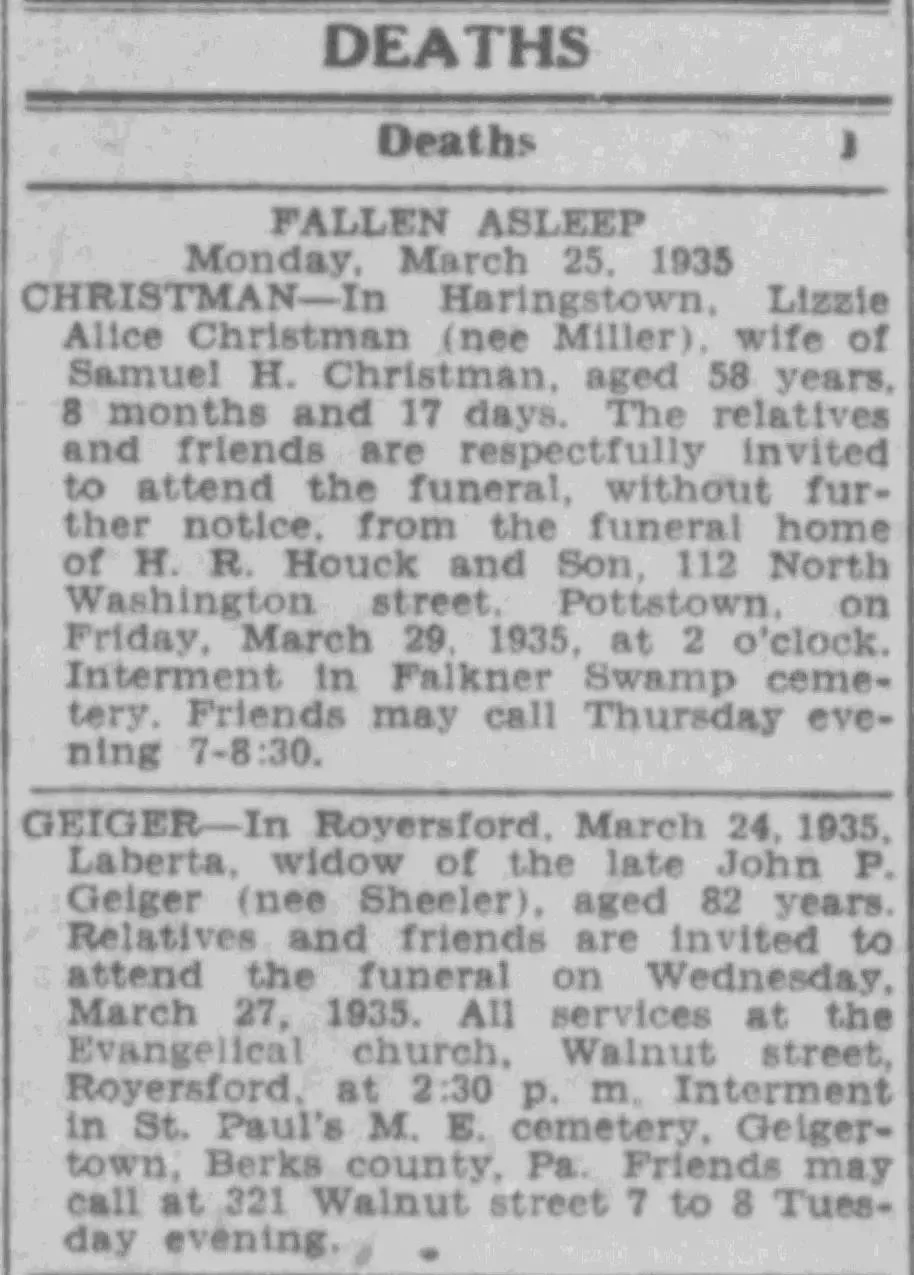
Not every obituary looks like an obituary.
Some are obvious. There’s a headline, a name, and a full paragraph or two.
Others are just a sentence.
They might be buried in:
Local news columns
Church notes
Community updates
Funeral notices
Society pages
“Personal mention” columns
Sometimes a death notice looks almost exactly like a neighborhood update.
It may say something simple like:
“Mr. Hamilton passed away last Tuesday after a short illness.”
And that may be all you get.
If you’re expecting a clean, labeled obituary every time, you’ll miss a lot.
Search for the people around them
If your person isn’t showing up, search for someone close to them.
Try:
A spouse
A parent
A child
A sibling
A son-in-law or daughter-in-law
A married daughter
A neighbor
The person who handled the funeral
The cemetery
The church
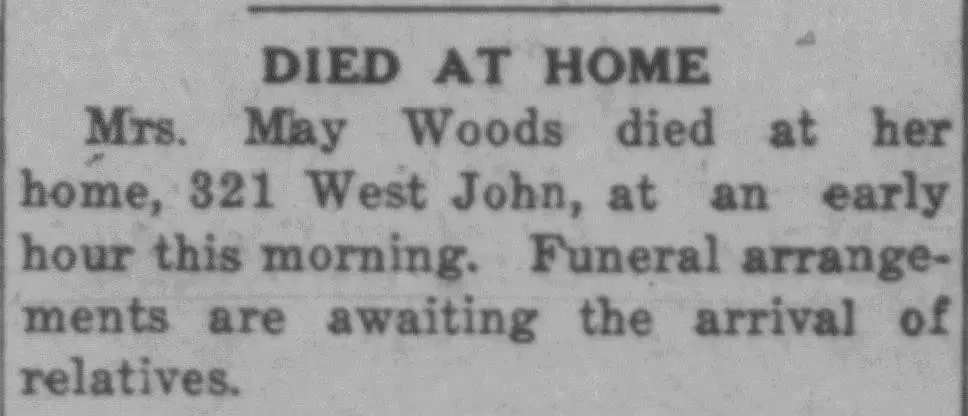
This works especially well when the obituary uses family relationships instead of full names.
You might not find “Sarah Johnson” by searching Sarah Johnson.
But you might find her in an obituary that says:
“Mrs. William Johnson, mother of Mrs. Charles Brown…”
That one family connection can be the clue that gets you there.
The date is probably too narrow
This one gets people all the time.
You search the exact date of death. Nothing shows up.
So it feels like a dead end.
But obituaries don’t always run the same day someone dies.
Sometimes they appear:
The next day
Several days later
A week later
After the funeral
In a later memorial column
In a “years ago” column much later
If I’m not finding anything, I widen the date range.
I usually look a few days after the death first. If that doesn’t work, I keep going. In smaller towns, especially, the timing can be different from what you expect.
Look for more than the word “obituary”
This is a big one.
If you only search the word “obituary,” you may miss the article.
Older newspapers used different wording. Try words like:
died
death
funeral
services
burial
interment
passed away
remains
illness
suddenly
after a short illness
former resident
pioneer resident
respected citizen
widow
in memoriam
Sometimes the best clue is not the word “obituary” at all.
It’s a phrase that appears inside the notice.
When searching stops working, stop searching
This is the part people don’t love, but it works.
If I keep getting nothing, I switch completely.
I go to the newspaper for that place and start looking at the pages from that week.
Not searching. Just looking.
I check:
Obituary sections
Local columns
Funeral notices
Church news
Community pages
Front-page local items
It takes longer, but this is where things often show up.
Not because they were hidden. Just because they weren’t indexed in a way that made them easy to find.
Don’t ignore short notices
I know we all want the long obituary.
The one with the birthplace, parents, spouse, children, career, church, funeral details, and cemetery.
But sometimes the short notice is the thing that unlocks the rest.
A two-line death mention can give you:
A death date
A funeral date
A town
A church
A cemetery
A relative’s name
That may be enough to search again with better information.
So don’t skip the small stuff.
Sometimes the small stuff is the clue.
A quick example
Let’s say I’m looking for someone like Harry Hamilton.
I try:
Harry Hamilton
Harry Hamilton obituary
Harry Hamilton died
Nothing.
So I back up.
I search:
Hamilton + the town
Hamilton + the county
Hamilton + the death year
Or I open the paper from that week and start scanning.
And that’s when it shows up.
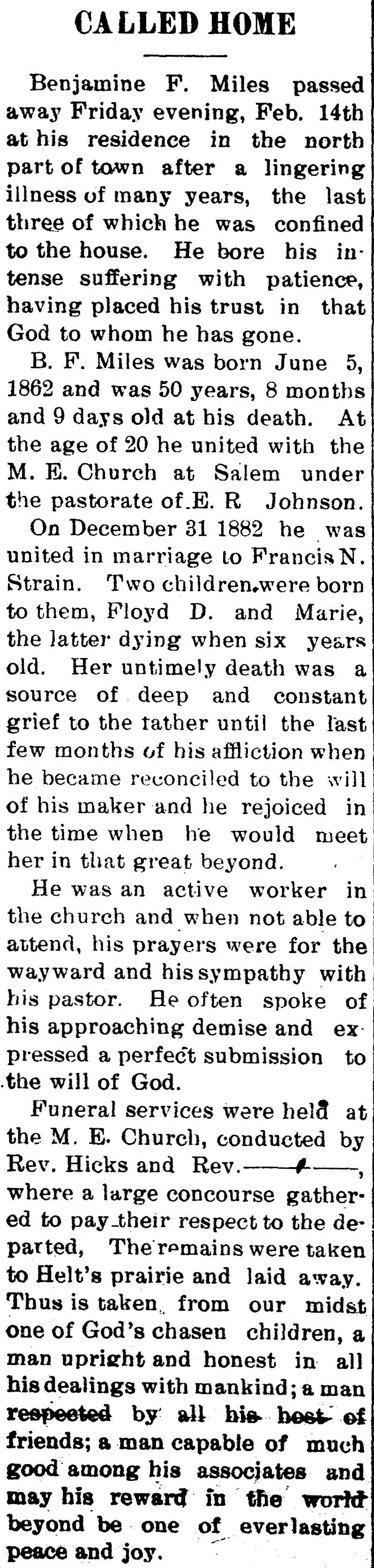
Not as a big headline. Not as a perfect search result. Just a small mention in a local column with enough detail to know it’s the right person.
That’s often how these searches go.
Small-town newspapers can make all the difference
If your person lived in a smaller place, local newspapers matter even more.
Large city papers didn’t always include every death, especially if the person wasn’t well known outside the community.
But small-town newspapers often included details that larger papers ignored.
You may find:
A short illness mention
A funeral notice
A visit from relatives
A note about someone traveling home for the funeral
A church announcement
A cemetery detail
A later memorial notice
These mentions may not look dramatic, but they help build the story.
They also help confirm that you have the right person.
This is where I’d start
If you’re stuck, don’t overcomplicate it.
Start with:
A last name
A location
A broad date range
Then adjust from there.
If the full name doesn’t work, use less.
If the date doesn’t work, widen it.
If the search results don’t work, browse the paper.
Suggested NewspaperArchive searches to try
Here are a few simple search combinations you can test:
Last name + town
Last name + county
Last name + spouse name
Last name + “died”
Last name + “funeral”
Last name + cemetery
“Mrs.” + husband’s name
Maiden name + married name
Full name + state
Last name + church name
For example:
Hamilton + Indiana
Hamilton + funeral
VonPhul + Cincinnati
VonPhul + died
Mrs. Harry Hamilton
Sallie Bird + obituary
You don’t have to try everything at once. Start broad, then narrow down once you see what kind of results you’re getting.
Common Questions About Finding Old Obituaries Online
Why can’t I find an old obituary online?
Sometimes the obituary is there, but it is not showing up in search. The name may have been printed differently, the page may not be indexed clearly, or the obituary may be buried inside a local column instead of labeled as an obituary. Try searching with fewer words, a last name and place, a spouse’s name, or a wider date range.
How far after someone died should I search for an obituary?
Start with the week after the death, but don’t stop there. Obituaries and funeral notices may appear several days later, after the funeral, or even in a later memorial column. In small-town newspapers, it is worth checking the surrounding weeks if the exact date does not work.
What should I search instead of the word obituary?
Try words that newspapers actually used inside death notices, such as “died,” “funeral,” “burial,” “interment,” “services,” “passed away,” “after a short illness,” “widow,” “former resident,” or “in memoriam.” Sometimes the best result does not include the word obituary at all.
What if I only know the person’s last name and location?
That is still enough to start. Search the last name with the town, county, or state first. Then use any clues you find to narrow the search. A short mention may give you a spouse, church, cemetery, or funeral date that leads to a better result.
Are death notices and obituaries the same thing?
Not exactly. An obituary usually gives more personal or family detail. A death notice may be much shorter and focus on the death or funeral arrangements. A funeral notice may only give service details. For family history research, all three can be useful.
Final thought
If you’re not finding the obituary, it’s probably not gone.
You may just be one step off from how it was written.
Try a different version of the name. Search for the people around them. Widen the date. Look at the page instead of only the search box.
That’s usually when things start to come together.
Key takeaways
If the full name isn’t working, change it. Try less, not more.
Don’t rely only on Google. Go to the actual newspaper pages.
Expect names to appear in different ways, especially for women.
Search for relatives, spouses, churches, cemeteries, and locations.
Widen the date range beyond the exact death date.
Look for funeral notices, death notices, local columns, and in-memoriam items.
If search stops working, browse the newspaper page by page.
Pay attention to short mentions. They count.
If you want to try this, start simple. Last name and place.
That’s where I’d start.
Pick one ancestor whose obituary has been hard to find and try a broader search in NewspaperArchive. Start with the last name and place, then let the results tell you what to try next.